
Jhoose Security Module V3.0.0 – Site-Level Security Configuration for Optimizely
Managing security across a multi-site Optimizely solution can be challenging. While many settings should remain consistent across the platform, individual sites often have slightly different security requirements.
With the release of Jhoose Security Module v3.0, security configuration can now be managed at both the global and site levels.
This introduces a hierarchical configuration model where:
A global configuration defines the platform-wide defaults.
Each site inherits those settings automatically.
Individual sites can override specific values when needed.
This approach allows teams to maintain centralised security governance while supporting site-specific requirements.
The Challenge with Global-Only Security Configuration
In previous versions of the Jhoose Security module, configuration was applied globally across the entire platform. While this works well for single-site solutions, it becomes restrictive in multi-site environments.
Common scenarios include:
Marketing microsites that require additional external integrations.
Partner portals with stricter policies
Regional sites with different compliance requirements.
Previously, accommodating these differences wasn't possible.
Version 3.0 introduces site-level overrides, allowing configuration to be tailored where necessary without affecting the rest of the platform.
Introducing Hierarchical Security Configuration
Jhoose Security v3.0 introduces a simple inheritance-based configuration model.
Global settings serve as the default configuration that each site automatically inherits. Individual sites can then override specific settings where required.
This keeps configuration centralised, predictable, and easier to maintain.
Configuration Inheritance Model
The relationship between global and site configuration follows a simple hierarchy:
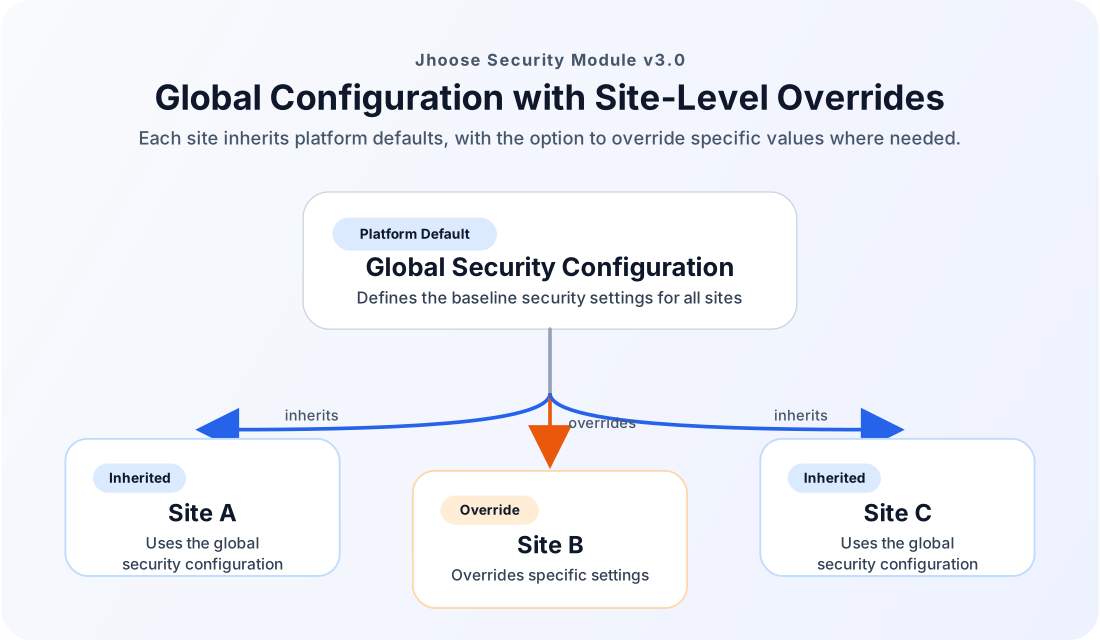
Most sites will typically rely entirely on the global configuration, while only a small number require overrides.
This model reduces duplication while keeping behaviour consistent across the platform.
Global Security Configuration
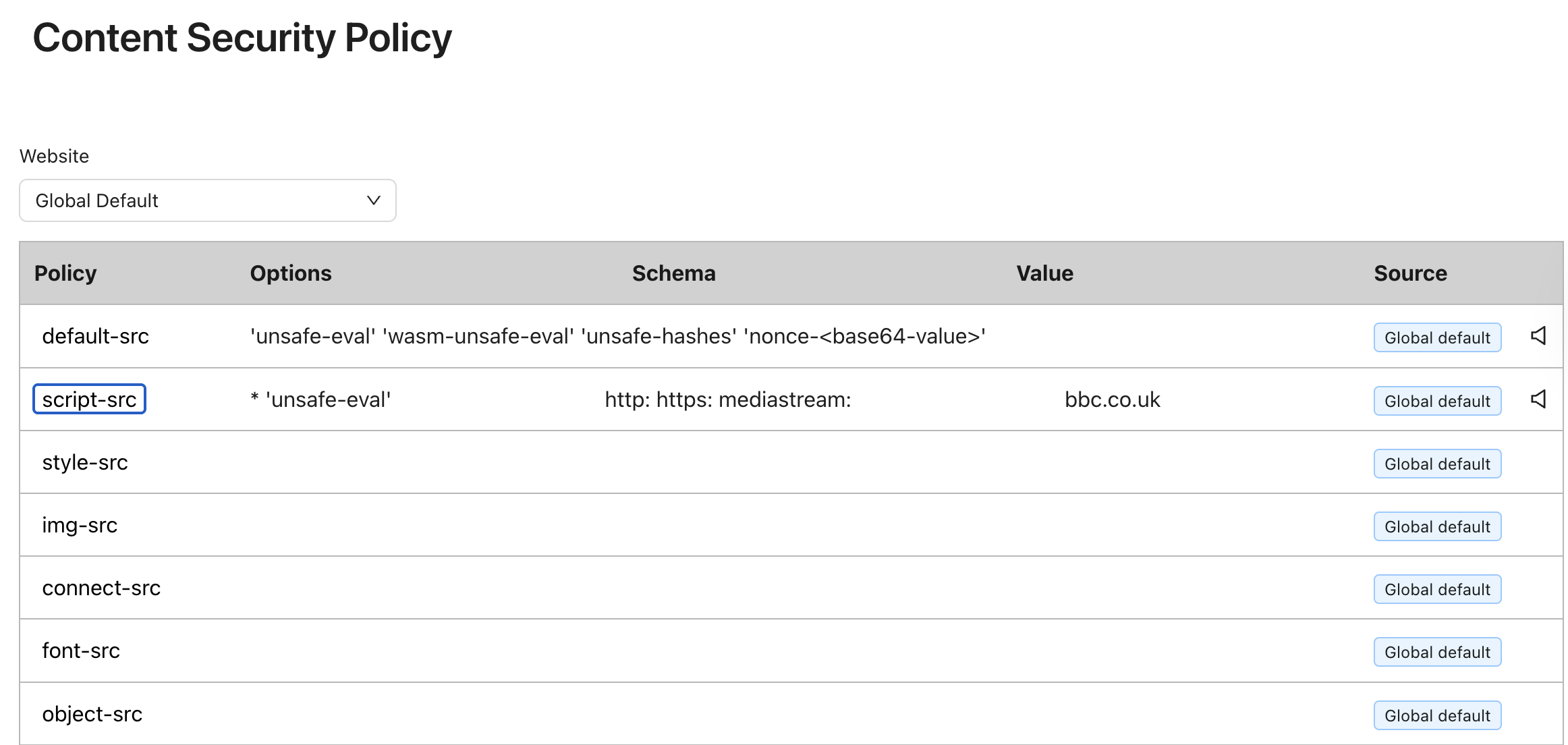
The global configuration defines the default security behaviour across the entire Optimizely solution.
These settings act as the baseline that every site inherits unless explicitly overridden.
Site-Level Security Overrides
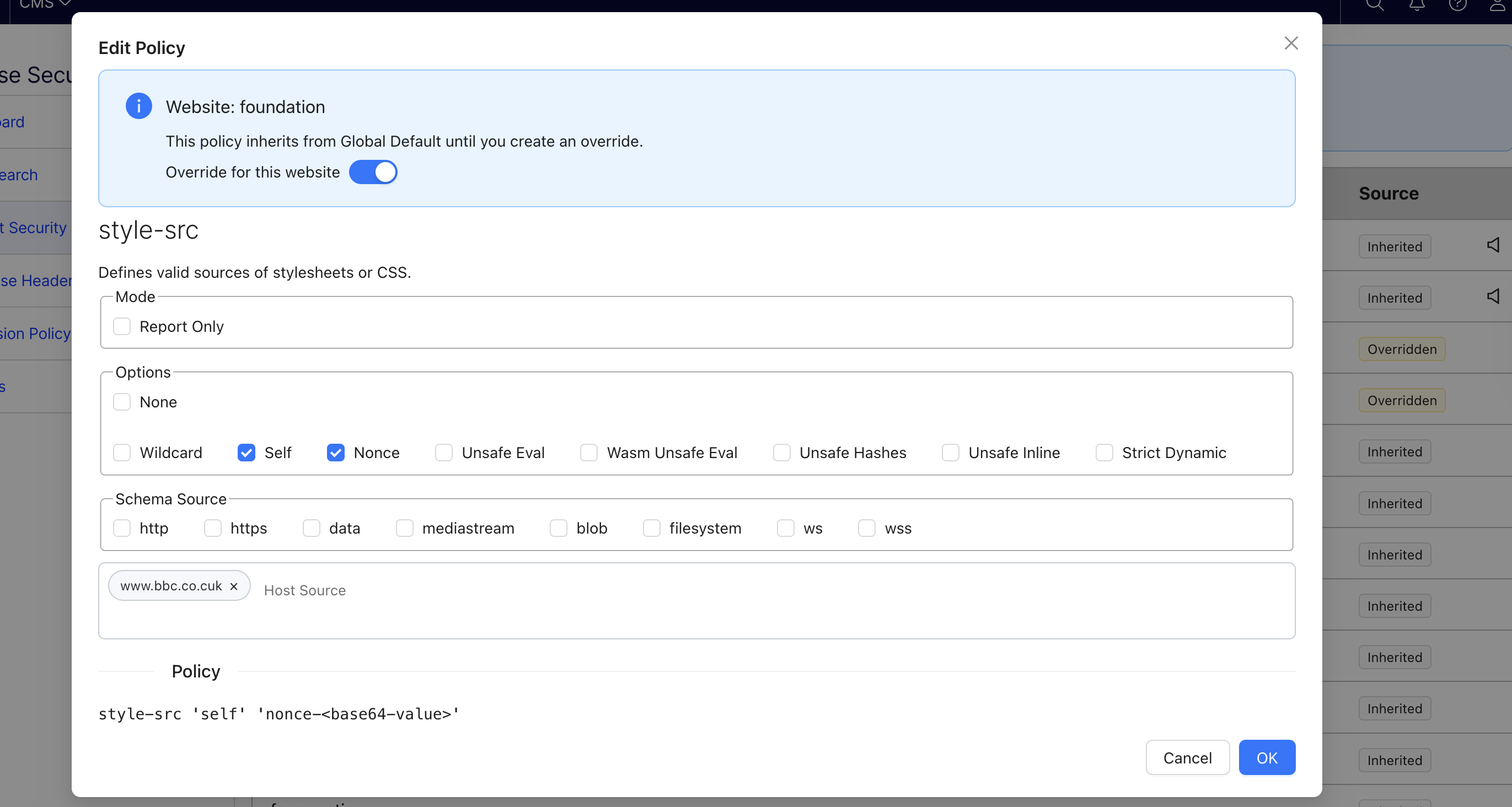
Each site can now have its own site-level configuration.
By default, a site inherits all values from the global configuration, but individual settings can be overridden when different behaviour is required.
These overrides apply only to the selected site and do not impact any other sites on the platform.
This approach provides flexibility without requiring separate configuration files or custom implementations, while still maintaining a consistent baseline configuration and allowing security behaviour to be customised where needed.
Benefits for Multi-Site Optimizely Implementations
This update makes the Jhoose Security module significantly more effective for modern multi-site platforms.
Key benefits include:
Consistent global security policies
Teams can define platform-wide security behaviour once and ensure every site starts from the same baseline.
Reduced configuration duplication
Common settings no longer need to be repeated across multiple sites.
Controlled flexibility
Sites can override individual settings without affecting others.
Upgrading to Jhoose Security 3.0
Upgrading to version 3.0 is straightforward.
Before upgrading:
The database structure has changed; make sure to export your settings before you proceed with the upgrade.
After upgrading:
Import your settings.
Update the
_viewImports.cshtmlfile to use the new TagHelper@addTagHelper *, Jhoose.Security.TagHelpers
This ensures current installations continue to behave exactly as before.